Yang Style Short Form 12 — A Closing Practice For Integration And Calm

Yang Style Short Form 12: A Gentle Closing Practice for Integration and Calm

Over the past months of teaching Gentle Yoga for Back Care and Chair Tai Chi, I’ve noticed something beautiful happen when we give ourselves just a few extra minutes at the end of class — a chance to integrate what the body has learned.

To support that integration, I’ve begun adding a short Yang Style Tai Chi Short Form 12 practice at the close of both classes. This brief sequence acts like a soft bow to the work we’ve done together — steadying the nervous system, organizing balance, and helping movement settle into the body with ease.


Why End Class with Yang Style Short Form 12?

Whether you’ve been practicing on the mat for back care or seated for Chair Tai Chi, your body has already been exploring:

  • Spinal length and gentle rotation
  • Weight shifting and postural awareness
  • Coordinated upper- and lower-body movement
  • Breath-led pacing and mindful attention

The Short Form 12 brings all of these elements together in a flowing, accessible way. Rather than introducing something abrupt or demanding, it offers continuity — a calm transition from structured learning into embodied understanding.


What Makes the Short Form 12 So Supportive

This Yang Style form was designed to be concise yet complete. In just a few minutes, practitioners experience:

  • Transitional movements that refine balance and coordination
  • Gentle turns and weight shifts that challenge awareness without strain
  • Intentional foot placement (even when adapted for chair practice)
  • Continuous flow that quiets the mind while awakening the body

For many students — especially seniors, Veterans, and absolute beginners — this form offers a sense of accomplishment without overwhelm.


How It Complements Gentle Yoga for Back Care

After yoga-based movements that focus on spinal support, hip mobility, and muscular balance, the Short Form 12:

  • Encourages upright, functional posture
  • Reinforces smooth transitions between movements
  • Helps the nervous system shift from effort into ease
  • Supports the body in carrying new movement patterns into daily life

Think of it as the bridge between therapeutic movement and everyday motion.


How It Enhances Chair Tai Chi Practice

For Chair Tai Chi students, the Short Form 12 is thoughtfully adapted:

  • Movements are simplified while preserving Tai Chi principles
  • Weight shifts become energetic rather than load-bearing
  • Upper-body coordination remains active and expressive
  • Breath, intention, and imagery stay central

This allows seated practitioners to experience the essence of Tai Chi flow — without needing to stand or strain.


A Few Minutes That Make a Big Difference

Adding this short practice at the end of class has consistently resulted in:

  • Greater calm and groundedness
  • Improved balance awareness
  • A clearer sense of completion
  • Students leaving class feeling organized rather than rushed

It’s a reminder that how we finish matters.


Closing Thought

Tai Chi isn’t about memorizing choreography — it’s about learning how to move through life with steadiness, awareness, and grace.

By closing our Gentle Yoga for Back Care and Chair Tai Chi classes with the Yang Style Short Form 12, we give the body and mind a chance to absorb, integrate, and rest into what’s been learned.

A small practice. A quiet ending. A lasting effect.

Gail Pickens-Barger

Upgrading My Computer to Windows 11 Using FlyBy11 + Post-Upgrade AV Testing

🖥️ Upgrading My Computer to Windows 11 Using FlyBy11 + Post-Upgrade AV Testing

After years of running smoothly on Windows 10, I decided it was time to upgrade to Windows 11—even though my PC wasn’t on Microsoft’s supported hardware list. Thanks to the FlyBy11 method, I was able to complete the upgrade without a hitch. Here’s a quick overview of my upgrade experience and how I verified my audio and video systems afterward.


Step-by-Step: How I Upgraded Using FlyBy11

I followed the instructions in a video guide that walked through upgrading unsupported PCs to Windows 11 using the FlyBy11 script. This method bypasses Microsoft’s hardware checks in a safe and controlled way.

Here’s a quick summary of the process:

  1. Backed up important files.
    Always a must before any major upgrade.
  2. Downloaded the FlyBy11 script from GitHub.
    (It automates bypassing the TPM, Secure Boot, and CPU checks.)
  3. Ran the script and initiated the upgrade.
    I used a Windows 11 ISO downloaded directly from Microsoft.
  4. The install process was smooth—no hiccups or compatibility warnings.
  5. After reboot, I had a fresh Windows 11 desktop with all my apps and settings intact.

🔊🎥 Post-Upgrade Testing: Audio & Video

After the upgrade, I made it a priority to test everything related to my workflow—especially audio and video, since I use my computer to teach yoga and chair tai chi both online and in person.

Here’s what I tested and verified:

🎤 Audio Tests

  • ✅ Microphone detection in Zoom, OBS, and Audacity
  • ✅ No latency issues or audio dropouts
  • ✅ Speakers and Bluetooth earbuds connected without trouble

🎥 Video Tests

  • ✅ Webcam recognized in Zoom, OBS, and Camera app
  • ✅ Background blur and virtual backgrounds worked smoothly
  • ✅ OBS Studio scene switching and virtual cam all functioned as before

All audio/video settings and customizations I had on Windows 10 carried over without needing reconfiguration. I did though have an HP printer notification pop up during a recording LIVE on YouTube, so I’ll need to check into suppressing notifications.

Here’s one of the “Live” videos I did to test both the audio and video after the upgrade!


🧘‍♀️ Why This Matters for My Work

I teach Chair Yoga, Tai Chi, and Guided Meditation virtually, so reliable audio/video is crucial. The upgrade allowed me to enjoy the sleeker interface of Windows 11 and improved multi-window features, without sacrificing stability in my teaching platforms.

If you’re a fellow wellness educator, you’ll appreciate the importance of:

  • Smooth streaming (no lag)
  • Clear voice capture for cues and instruction
  • Visual clarity for demonstrations

So far, Windows 11 is delivering.


📌 Final Thoughts

If you’re still running Windows 10 on an older machine and wondering whether an upgrade is possible, FlyBy11 is a viable solution—just be sure to back up and follow each step carefully.

💡Pro Tip: After upgrading, take the time to recheck every tool you rely on—especially audio and video apps—to ensure everything transitioned properly.

Let me know in the comments if you’ve tried this method, or if you’re considering upgrading and have questions!


How to see Veterans Yoga Project Online Studio on my big TV Screen

How to see Veterans Yoga Project Online Studio on my big TV Screen

I often get asked how I setup for teaching online yoga classes. I’ll just briefly give you an outline of what equipment I use, etc.

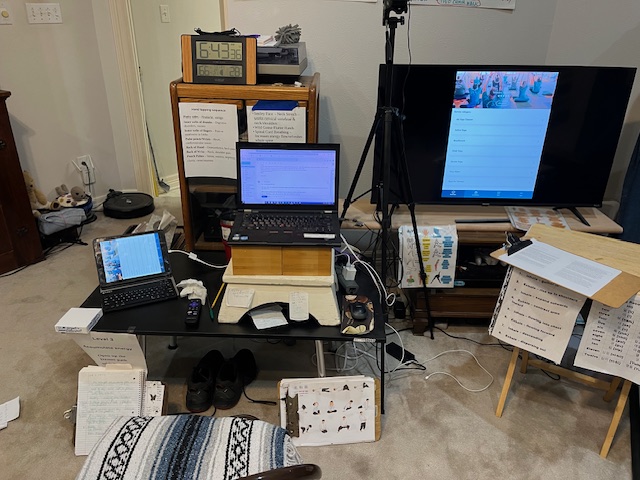
My teaching online Chair Tai Chi, Yoga and taking classes setup.

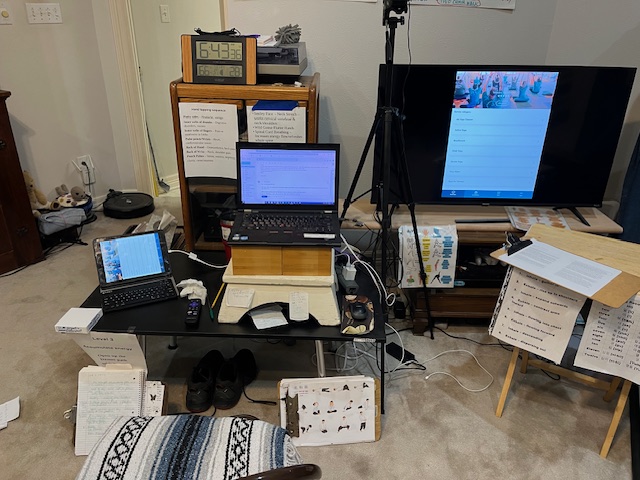
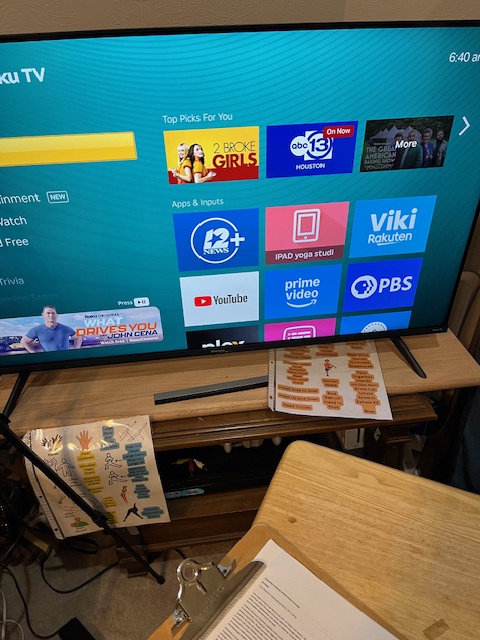
A quick photo of my setup for teaching online, and for taking classes online. Left to Right. Ipad, Adapter Lightening Cord, Laptop, Surge protector with my PC, and Apple Charging cord connected, HDMI cord connecting to the back of my TV, Roku device plugged into the other HDMI port, and my older not so smart (ha ha) TV, with the VYP app displayed from my ipad onto the tv.

I teach from my PC and attached camera.  Then I have a second screen, where I can do gallery view, to watch the students on my somewhat bigger TV Screen.

A little background, about nine years ago, when I was teaching some educational classes in my home, I would use the apple adapter cord into my ipad/pc, and my televisions’s hdmi cord to view onto my TV.  I had a different type of adaptor that I would use for my PC/Mac.  

Since then I use the same cord to use as a connection, to display larger onto my Smart TV.

  1. One needs a Smart TV.  You use the Roku app on the Smart TV to connect to an iphone/ipad device app.  This might be a bit difficult to figure out, as one needs to look at the “streaming store” and find the appropriate “app” for the HDMI hooking up service.
  2. Roku device hooked up to the back of their TV, or a Smart TV that has Roku integrated within the system. ~ $45
  3. A HDMI cord – which plugs into the Apple adaptor cord and into the HDMI port on the smart tv. ~ $10
  4. An Apple cord https://www.apple.com/shop/product/MW2P3AM/A/lightning-digital-av-adapter  $49
  5. An apple charging cord dedicated to this system.  
  6. I use a surge protector strip to plug in for power to the apple charging cord.

When I started teaching online for VYP almost five years ago, I just used the same cord system.

There are other methods to connect to a smart tv, depending if you are using a PC, an android.  I’ve used Chromecast, but it was rather cludgy.

When I teach in person at a gym, I sometimes play indoor walking workouts for my clients, prior to the tai chi or yoga class.  The facility has an overhead projector system.  I’m able to use the cord again, and “cast” onto the large theatre display, using their bluetooth connection technology.   

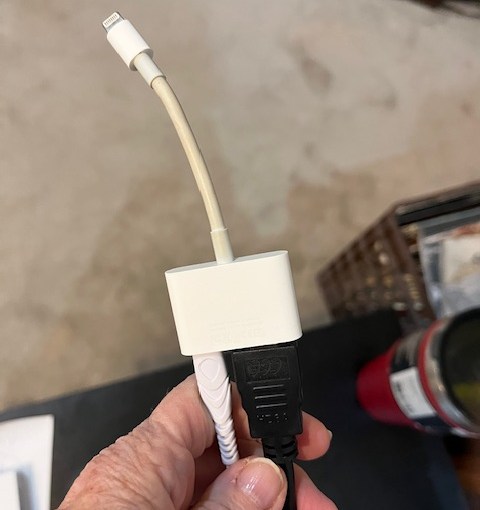
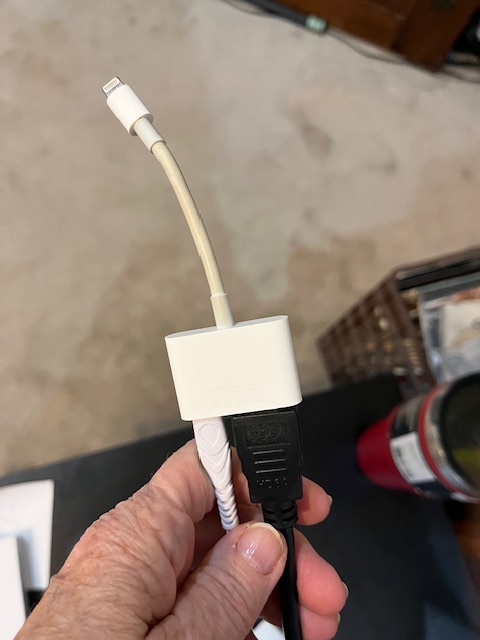
Apple Adapter cord. 

Apple Lightening Adapter cord

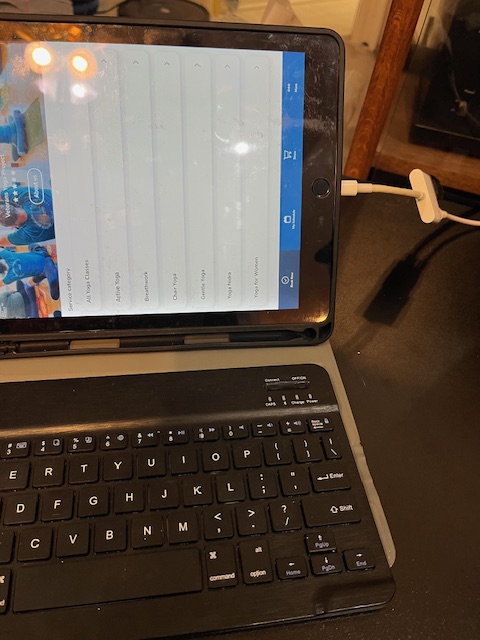
Apple adapter into my ipad, with the hdmi cord, and my apple charger cord coming out.  

My cord connection from my Ipad

My setup for teaching and taking online classes.

My Online Teaching Setup.

Left to Right.  Ipad/Apple adaptor cord, PC, Camera, surge protector strip cord.  My PC, Apple Charger cord in the strip cord.  Smart TV with a Roku in the back plugged in (it is an older Smart TV), then on the screen I have the VYP app on screen, as it shows up on the Ipad.

One must turn off the audio on the Ipad, or you’ll have reverb/echo noise.  I also turn off the volume on the TV, and only use the volume from the PC.  Their setup may be different as they will not have the PC or the Ipad both running at the same time.  So the sound could either be from their Ipad/Iphone or PC or the Smart TV.  It takes a bit to figure this stuff out.

Questions? Complaints? Comments? Complements? Let me know!

Gail

My Roku Streaming Services

Teaching Online Yoga Wednesdays at 1:00 PM Central Time.

Now teaching online at: 12 AM PT, 1 PM CST, 2 ET

Gentle Yoga with Gail Pickens-Barger. Yoga to help ease back pain, lessen stress, increase flexibility, build bones, better balance, and have higher quality sleep. Next class sign up. https://tinyurl.com/TueYogaGail
Tuesday Yoga for Easing Back Pain with Gentle Beginners Yoga with Gail, in-person classes starting 3rd week of March 2022.
Tuesday Yoga for Easing Back Pain with Gentle Beginners Yoga with Gail

Interesting Study: New Study Adds Growing Evidence that Yoga and Meditation Can Reduce Chronic Pain. I can attest to that study, as it has helped me with my chronic back pain!

https://www.yogauonline.com/yoga-research/new-study-adds-growing-evidence-yoga-and-meditation-can-reduce-chronic-pain

The study echoes previous findings on the benefits of yoga and meditation for chronic pain published in 2016 in the prestigious Journal of the American Medical Association.

“The bottom line is that patients are seeking new ways to cope with chronic pain and effective non-pharmaceutical treatments are available,” says Dr. Marske. “Our findings show meditation and yoga can be a viable option for people seeking relief from chronic pain.”

https://www.sciencedaily.com/releases/2020/10/201001133227.htm

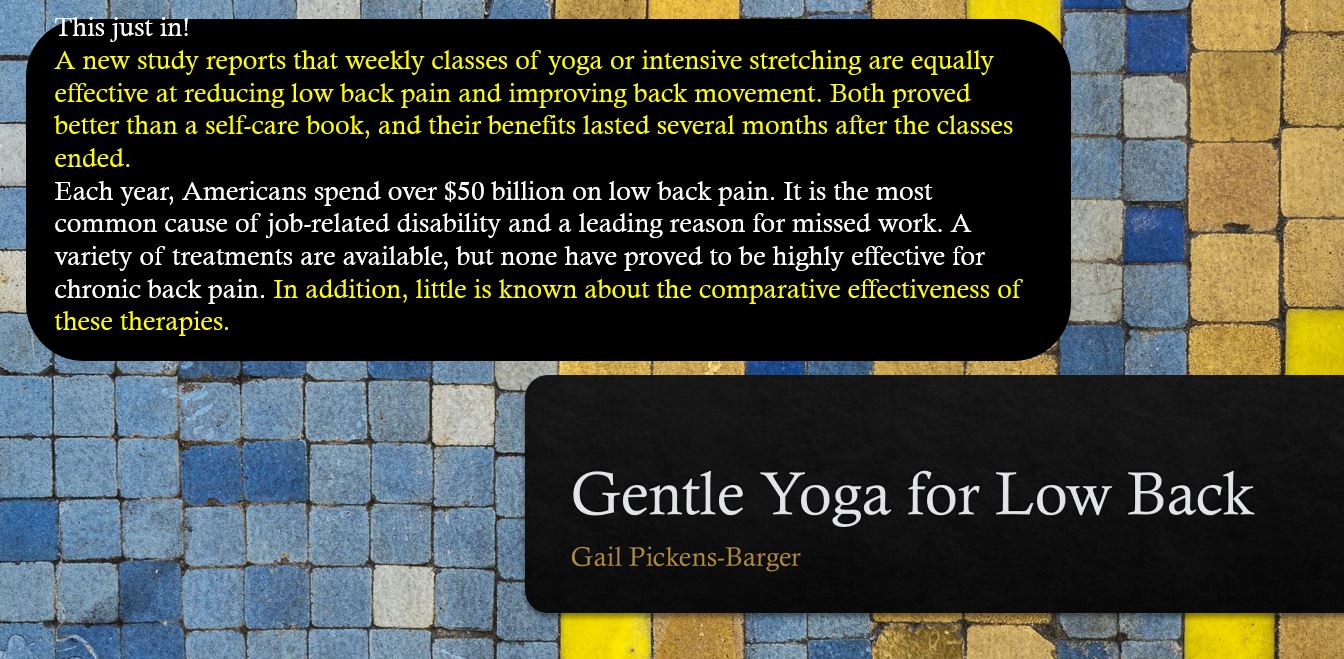
This just in. Yoga Eases Moderate to Severe Chronic Low Back Pain - Yoga with Gail
This just in. Yoga Eases Moderate to Severe Chronic Low Back Pain – Yoga with Gail
Check out one of my more popular class formats. Can be done seated on the chair, or on the yoga mat or on your couch or bed. Beginners simple movements.

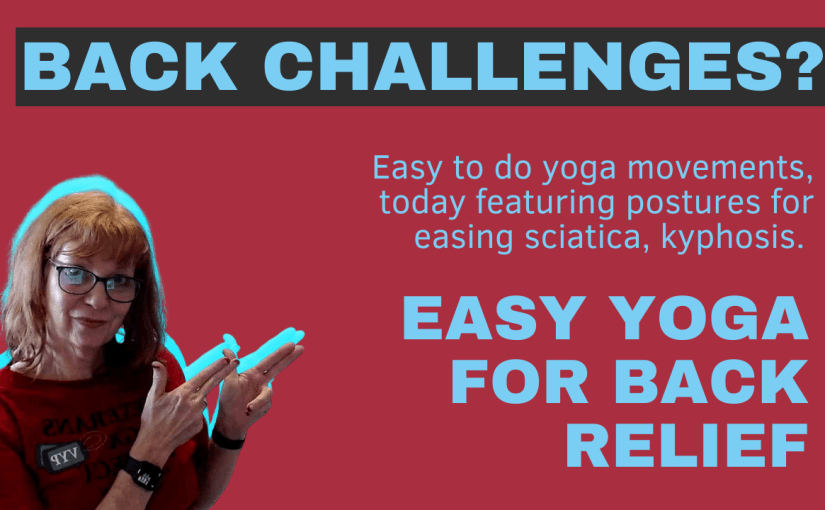
Back Challenges – Easy Yoga for Back Relief

Overview of Back Care Yoga Class

Easy to do yoga movements, today’s class featuring postures for easing sciatica & kyphosis. Class will also promote healthy backs!
  • Gail teaches gentle yoga for back care, focusing on low back, upper back, mid-back and core.
  • Specific yoga postures are designed to ease back challenges and chronic daily pain.
  • Equipment needed: yoga strap and yoga block, although not mandatory for participation.
  • Recording of the class is provided for those who want to try with the gear later.
  • Class ends with guided rest, relaxation, and gratitude practice.

Adaptations for Different Needs

  • Participants can choose to stand, sit on a chair, or modify postures based on individual needs.
  • Constructive rest posture is recommended for reducing back challenges.
  • Seated Participants can also benefit from certain postures, with some adaptations required.
  • Various modifications are suggested to accommodate different levels of flexibility and comfort.
  • Participants are encouraged to listen to their bodies and adjust postures accordingly.

Yoga Postures for Back Care

Yoga postures for back care are specific poses designed to strengthen and stretch the muscles in the back, helping to improve posture, reduce pain, and increase flexibility. These poses target different areas of the back to promote overall spinal health and alleviate discomfort.

Constructive Rest Yoga Posture for Easing Back Pain.
Knee to  Chest Sequence for Easing Back Pain.  Yoga with Gail
Easing Back Pain with Overhead Extension Yoga Pose Sequence with Gail PB
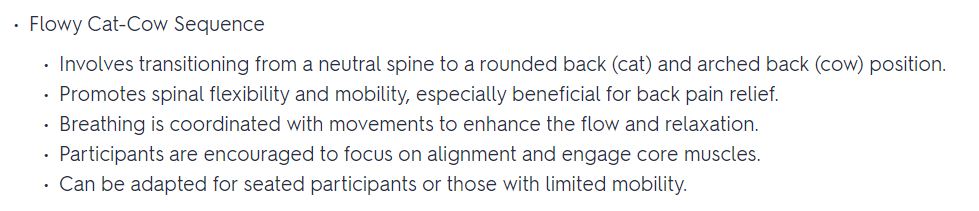
Flowy Cat Cow Sequence Yoga Posture for easing back pain with teacher, Gail PB
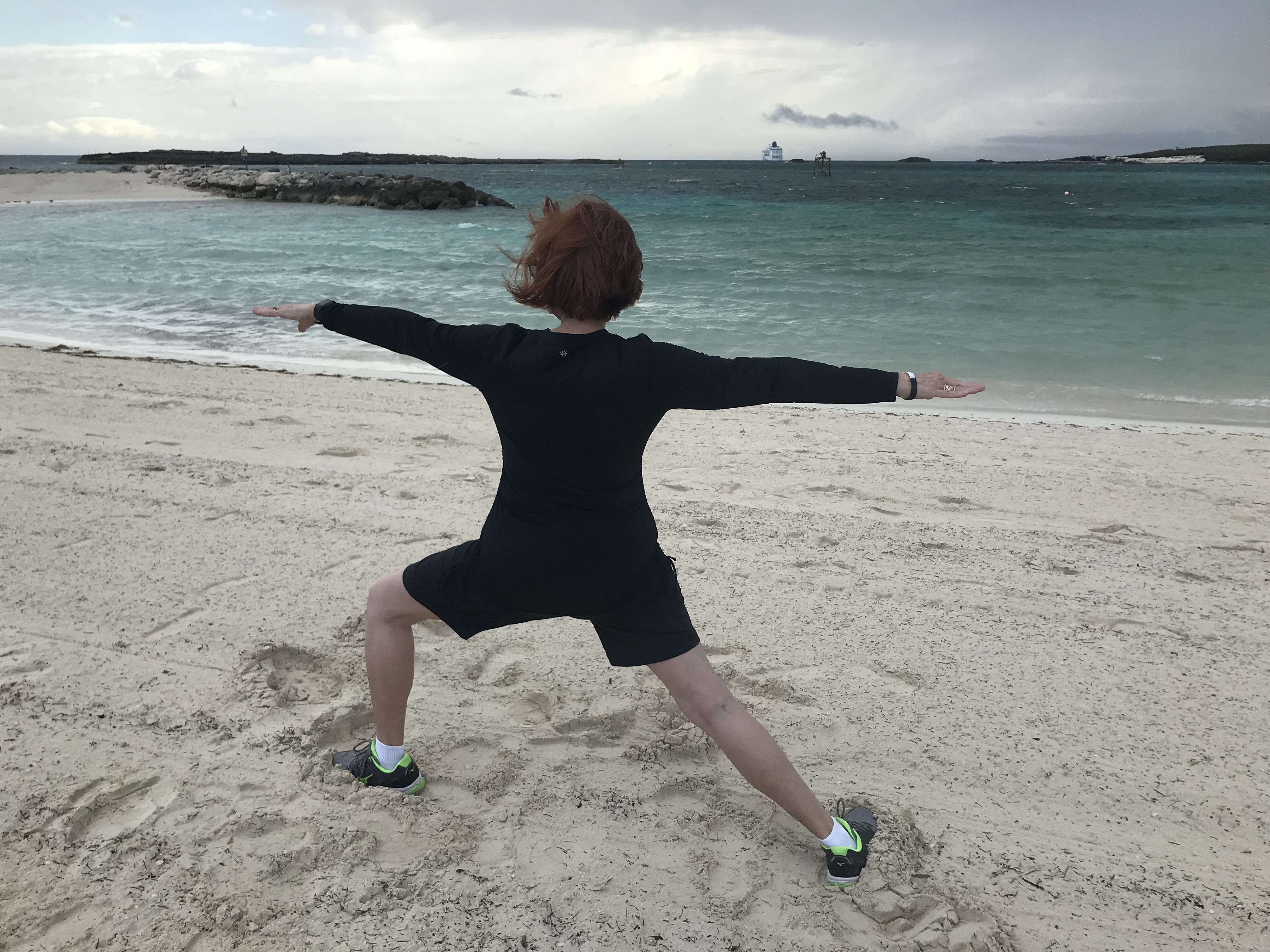
Warrior Pose Variations for strength and lengthening of the lower body muscles.  Yoga with Gail PB
Unsupported Spinal Twists and Bird Dog Spinal Balance Variations for easing back pain.  Yoga Teacher Gail PB